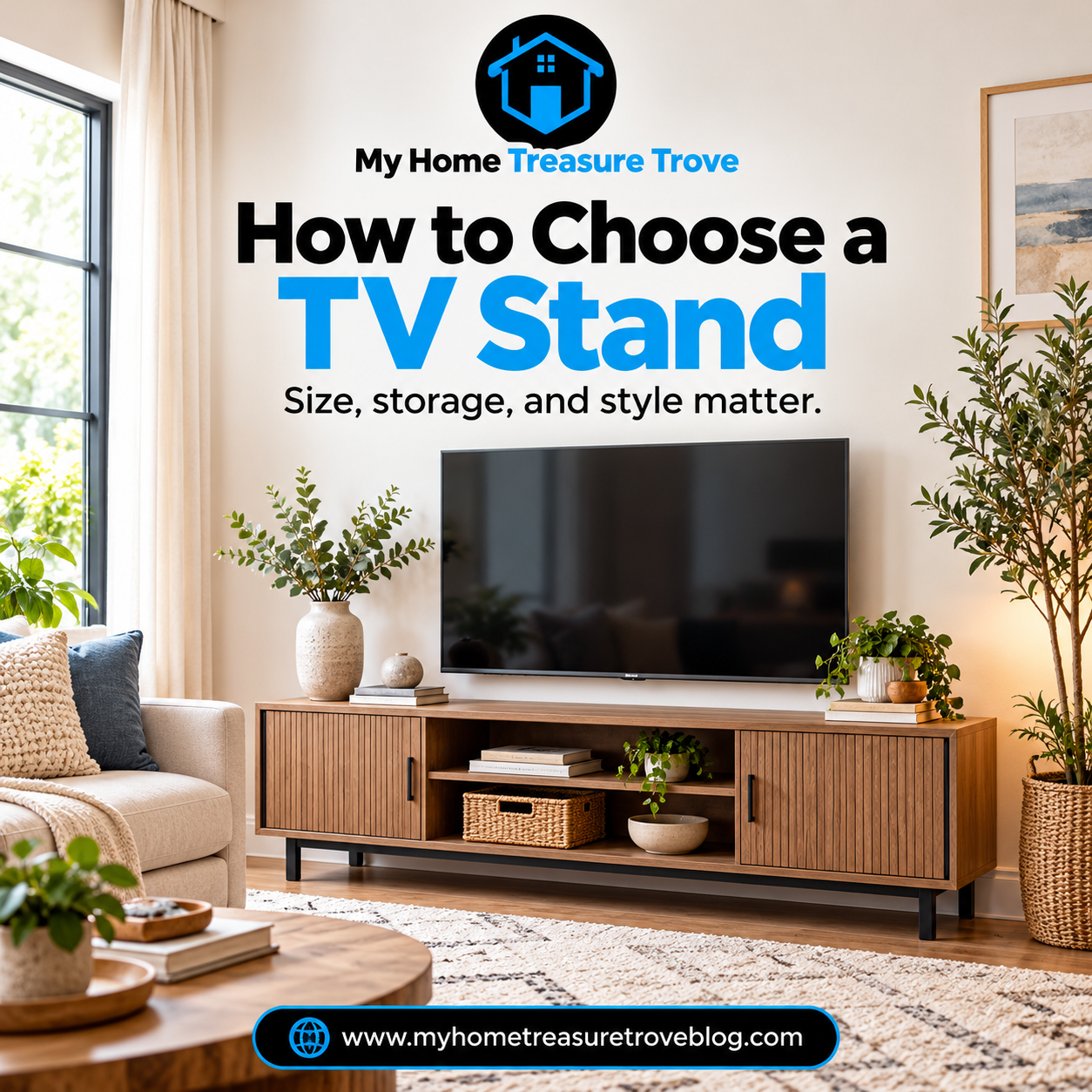
How to Choose a TV Stand: Size, Height, Storage, and Living Room Style
A television can be the focal point of a living room without making the entire room feel like an electronics display. Yet the furniture beneath it often determines whether the arrangement looks balanced, feels comfortable to watch, and stays organized. Choose a cabinet that's too narrow and the screen may overwhelm it. Choose one that's too tall and an ordinary movie night can turn into an uncomfortable stretch for your neck. Add game consoles, a soundbar, cords, remotes, and a few treasured decorations, and suddenly the apparently simple question of how to choose a TV stand becomes a furniture-planning decision. At My Home Treasure Trove, you can explore living room furniture and home accents as part of creating a room that looks welcoming and works well for the people who actually use it.
The good news is that you don't need a professionally designed media room to make an informed choice. You need a few accurate measurements, an honest inventory of your electronics, and a clear idea of how the living room functions. The best TV stand for a household that streams everything and needs little storage may be quite different from the best cabinet for a family with gaming systems, movies, controllers, and board games.
This guide walks through the decisions in a practical order. You'll learn why television size labels can be misleading, how to compare stand width and height, what to check before placing equipment inside a cabinet, and how to make the TV wall work with the rest of your furniture. We'll also look at small rooms, corner layouts, wall-mounted screens, safety, cable management, and the purchasing mistakes worth avoiding. By the end, you'll be able to shop with measurements and a plan rather than guesswork.
Start With the Screen You Have, Not the Cabinet You Want
It is tempting to start by browsing finishes: warm oak, crisp white, black metal, a farmhouse-style cabinet, or a simple modern console. Appearance matters, but it should not determine your first decision. The television itself establishes important minimum requirements.
Write down the TV's make and model if you can. Locate its specifications or owner's manual and record its overall width, height, depth, weight, and the type of base or feet it uses. If the television will be wall-mounted, note that too; the supporting furniture has a different job in that situation.
The TV's diagonal screen size is useful as a shopping label, but it is not the same as the width of the television. A screen advertised as 65 inches is measured diagonally, not from its left edge to its right edge. The full frame, including the bezel, may differ from what you expect.
This matters because the furniture must safely accommodate the actual television and its base. A cabinet labeled as suitable for a particular television size should still be checked against the TV manufacturer's specifications and the cabinet's own restrictions. Don't rely on one number printed in a product headline.
If you're replacing both your television and your stand, choose the likely television first—or at least settle on a realistic size range before ordering the cabinet. This prevents the frustrating situation of buying a beautiful console and discovering later that the screen or its feet won't fit.
The Measurements You Need Before Shopping
A quick room sketch can save considerable time. It does not need to be architectural. Draw the TV wall, the main sofa or chairs, the nearby doors, and anything else that could affect placement.
Measure the clear wall width. Note the distance from the wall to the seating. Measure the height of your seated eyes from the floor and the approximate dimensions of any electronics or speakers that need to live on or inside the stand. Then look for real-life obstacles: an outlet, floor vent, radiator, window, baseboard, door casing, or a walkway that crosses in front of the cabinet.
You are looking for three kinds of fit. Physical fit means the furniture and television have enough space. Functional fit means you can open doors, reach equipment, and walk through the room. Visual fit means the television and stand look like a deliberate part of the furniture arrangement rather than unrelated objects.
For an easy test, mark the proposed stand's width and depth with removable painter's tape. Position a chair where viewers normally sit and look toward the taped area. If the stand will contain hinged doors or drawers, imagine them fully open. A cabinet that fits neatly while closed may be inconvenient in everyday use.
Take your measurements with you when comparing products, whether you're shopping online or in person. Dimensions in a photograph can be surprisingly deceptive.
How Wide Should a TV Stand Be?
The best starting point is the television's actual outside width, not its advertised diagonal size. For a set resting on the cabinet, the supporting surface must be wide and deep enough for the manufacturer's specified base or feet, and the furniture must be designed and rated to support the television.
As a visual guideline, many furniture buying guides suggest choosing a stand a few inches wider than the television on each side. The extra width can make the arrangement feel grounded and gives the screen some breathing room. But that is an appearance recommendation, not a substitute for the equipment and furniture instructions.
A particularly important detail is the spacing of the television's feet. Some TVs have a central pedestal, while others use two feet near the outer edges. A TV can have a physical width that looks compatible with a cabinet while its foot placement creates a problem. Check that the entire approved base fits securely on the supporting surface, with no overhang or improvisation.
The wall matters too. A stand wide enough for the TV could still feel oversized if it nearly touches a doorway or spans every available inch. Conversely, a narrow stand stranded in the center of a long empty wall may look out of proportion.
When the measurements conflict, prioritize stable support, safe clearances, and comfortable movement. Visual symmetry comes afterward.
Why a 65-Inch TV Doesn't Mean a 65-Inch Cabinet
It's worth lingering on this point because it's one of the most common sources of confusion. A television's marketed size describes its screen diagonal. The width across its frame is shorter than that diagonal dimension for a typical widescreen television.
That doesn't mean you should choose furniture narrower than the screen. It means you need the real specifications rather than trying to convert the label into a cabinet requirement by intuition. The only reliable answer for your exact television comes from measuring the set or looking up the manufacturer's dimensions.
Imagine two 65-inch televisions. One uses a central stand; the other has feet located near both ends. Even if the screens are similar in width, their base requirements can differ. The cabinet that's suitable for one may not be suitable for the other.
Also account for a soundbar if it sits on the same surface. It may need its own width and depth, and you must ensure it doesn't block the television screen or the TV's infrared receiver. If the soundbar will sit on a shelf, check its size, access, and manufacturer ventilation guidance instead.
When a listing says “fits up to a 65-inch television,” treat that claim as a starting point. Confirm the full load capacity, usable top dimensions, and any limits spelled out in the furniture instructions.
How Tall Should a TV Stand Be?
Television height affects comfort much more than many shoppers realize. A screen positioned too high can encourage viewers to tip their heads back, particularly during longer viewing sessions. A screen placed unusually low may be uncomfortable in a room with upright seating.
For many conventional living rooms, a helpful starting point is positioning the center of the screen near seated eye level. This is a guideline, not a universal rule: your sofa height, posture, screen size, viewing distance, and personal needs can change what feels best.
To assess it, sit where you ordinarily watch television. Have someone measure the distance from the floor to your eyes while you're sitting comfortably. Then find the approximate midpoint of the TV screen. If the television will sit on a cabinet, add the cabinet height, the height of the TV's base, and the distance from the bottom of the set to the middle of the screen.
You don't have to calculate a mathematically perfect viewing position. The goal is to avoid an obviously awkward angle before committing to furniture.
For a room with a lower sofa, a lower-profile media console may be appropriate. A room with upright chairs could accommodate a somewhat different height. Try the viewing position before ordering whenever possible, especially with very large screens.
How Deep Should a TV Stand Be?
Depth is easy to overlook because it is less noticeable in front-facing photographs. But the depth of your media cabinet determines how much floor area it occupies and whether your equipment can fit properly.
For a TV resting on the furniture, the approved base or feet must fit completely on the top. For electronics stored inside, measure each device, including any protruding connectors, plugs, and cables. Shelves need enough usable depth for the equipment to sit properly without pinching cords.
Now measure the living room itself. A deeper cabinet may be fine against a long wall in a spacious room, but it can interfere with the walking route in a narrow apartment. If people have to sidestep the corner every time they cross the room, the cabinet's depth is probably too ambitious.
Don't forget the back. A cabinet pushed flush against the wall may leave no room for power cords, cable bends, or ventilation. The required space depends on the actual electronics and furniture design, so consult the equipment manuals rather than assuming one clearance works for everything.
Depth must also accommodate cabinet doors and drawers. A shallow unit is only useful if the things you plan to store truly fit inside it. Measure your equipment before letting the clean appearance of a slim console make the decision.
Open Shelves vs. Closed TV Cabinets
Open shelving makes connected equipment easier to see and reach. It can provide convenient access for game consoles, receivers, media players, and other devices that need cords, controllers, or remote signals. Open sections may also make cleaning and checking equipment easier.
The trade-off is visibility. Wires, small electronics, game cases, and miscellaneous items can make the room look busy. Dust may also be more noticeable on exposed shelves.
Closed cabinets can create a quieter look by hiding accessories and backups. They're often appealing when the television is already a strong visual element and you don't want the furniture below to feel crowded. But a solid cabinet door may affect the way certain remote controls communicate with devices, and closed compartments can trap heat if they aren't designed and ventilated appropriately.
The most useful setup may combine both types. Keep actively used equipment in suitable ventilated areas, and use closed storage for games, spare cables, manuals, and other items that don't need daily access.
Think about the door style before buying. A sliding door may be easier to use in a narrow room than a large hinged door. Drawers can be convenient for accessories but need space to open. Choose an arrangement that matches the actual contents.
Inventory Your Electronics Before Choosing Storage
The storage question becomes easier once you know exactly what needs a home. Gather an inventory of everything associated with the television, including equipment you expect to keep connected.
Your list might include a streaming device, gaming console, soundbar, cable box, modem, receiver, controller chargers, games, remotes, and replacement cables. In some homes, only a few of those items are relevant. In others, they form a substantial collection.
For each device, note whether it needs to remain accessible, whether you operate it with an infrared remote, how many cables attach to it, and whether it requires unobstructed airflow. Some devices need convenient front or top access for discs or ports; others can sit less visibly.
Next, decide which objects belong in the TV stand and which could live somewhere else. Old DVDs, unused controllers, obsolete cables, and empty packaging don't deserve prime living-room storage unless you genuinely need them there.
Build the cabinet around the collection you intend to use, not the collection you've accumulated over a decade. A media stand with the right number of thoughtfully sized compartments is usually more helpful than one with the largest advertised storage capacity.
Keep Media Equipment Ventilated
Electronic equipment can generate heat, and restricted airflow can lead to poor performance or damage. The exact ventilation requirements depend on the device; there is no universal gap that can safely be applied to every receiver, console, television, or soundbar.
Before putting a device inside a cabinet, consult its manufacturer's operating and installation instructions. Look for requirements about open sides, space above the device, rear clearance, ambient temperature, and whether enclosed placement is allowed. A decorative shelf is not necessarily an appropriate equipment compartment.
As an example of why manuals matter, Sony's television ventilation guidance warns against blocking ventilation openings and directs owners to the specific TV manual for clearances. Different devices may require different arrangements.
Avoid covering vents with books or decorative objects. Don't stack heat-producing equipment unless the manufacturer allows it. Keep cords arranged so they don't obstruct openings or become pinched behind the cabinet.
A cabinet with attractive doors and roomy-looking shelves can still be a poor choice for electronics if it restricts airflow. When comparing furniture, treat ventilation and access as practical requirements, not small details to solve after delivery.
Cable Management Should Be Planned Before Assembly
A TV wall can look messy even when the cabinet itself is attractive. One major reason is that cables are treated as an afterthought.
Before you buy, look at the rear of the cabinet or read its product description. Are there openings for power and signal cables? Can devices connect without wires bending sharply? Will you still be able to reach the outlets when everything is installed?
Some cabinets provide cable cutouts or rear access panels. Others have solid backs. A stand with no cable openings may create an unnecessary installation problem if you intend to keep several connected devices inside.
Organize cables according to the needs of the equipment. Use manufacturer-appropriate ties or routing accessories that do not pinch wires, block vents, or create tension at connectors. Labeling the ends can make future device changes far less frustrating.
Don't run ordinary power cords through walls, under flooring, or into concealed spaces in ways prohibited by the electrical product instructions or applicable rules. If you need a concealed in-wall solution, use a properly designed and installed system with qualified assistance as necessary.
The aim is simple: reduce visible clutter while preserving safe, serviceable connections. A tidy TV wall should remain easy to troubleshoot when something stops working.
Wall-Mounted TV or TV Sitting on the Stand?
Wall mounting can free the console's top for a soundbar or a small number of decorative items. It may also help position the screen independently of cabinet height. But it requires a mount suitable for the TV, a supporting wall capable of carrying the load, and proper installation.
Check the TV manufacturer's wall-mount requirements, including the mounting-hole pattern, weight, hardware, and any specified installation conditions. Roku's official TV mounting guide is one example of manufacturer guidance that emphasizes model-specific compatibility and requirements.
A television resting on a stand may be simpler to reposition, but it still requires an approved supporting surface, suitable base, adequate ventilation, and anti-tip protection. A wall-mounted TV is not the only arrangement that can be safe, and a freestanding TV is not safe merely because it feels heavy.
Consider your household and living situation. Renters may need permission before installing a mount. A shared household may value adjustable screen positioning. A frequently rearranged room could benefit from flexibility, provided the setup remains stable and secure.
If you wall-mount the television, you can still use a media cabinet below for consoles, storage, and visual balance. Just remember that the cabinet no longer determines the TV's support capacity; the mount and wall installation do.
Safety Comes Before Furniture Style
A television and the furniture supporting it can present a serious tip-over hazard. This deserves attention even if your current household has no young children; visiting children may still encounter the room.
The U.S. Consumer Product Safety Commission's Anchor It campaign recommends placing televisions only on furniture designed to hold them, securing televisions and top-heavy furniture, and following manufacturer instructions. It also advises keeping tempting objects such as toys and remotes from locations that might encourage children to climb.
Make sure the stand's load rating covers the television and anything else resting on it. Follow the furniture assembly instructions carefully, especially for legs, hardware, anti-tip devices, and adjustable shelves. Don't substitute a dresser, bookshelf, or decorative cabinet for a TV stand without verifying that the furniture is designed for this use.
Keep cables from creating trip or pulling hazards. Check that a mounted TV uses an appropriate wall and mounting system. When the manufacturer requires anchoring, install it correctly rather than leaving the hardware in the packaging.
Safety measures are part of choosing a suitable furniture piece. They're not optional decorative finishing touches.
Choosing a TV Stand for a Small Living Room
In a compact living room, the best media cabinet often has a clear job and modest depth. The furniture should offer enough width for the television or provide an organized base beneath a wall-mounted screen without making the pathway feel narrow.
A low-profile console can preserve a sense of openness, especially when its finish relates to nearby furniture. It also helps to plan the entire seating group; our coffee table buying guide explains how table proportions affect movement in the same room.
A cabinet with doors might reduce visible clutter, while a design combining small open and closed sections can provide useful flexibility.
Think carefully about leg style and clearance beneath the unit. Furniture raised on legs can appear visually lighter, although it may allow dust and dropped items to gather below. A solid base may simplify the silhouette but feel heavier. Neither is automatically best.
If the television wall is short, you may need to prioritize functional width and support over a large decorative arrangement. A narrow media stand plus thoughtfully placed side storage can sometimes work better than one oversized entertainment center.
Avoid filling the floor with multiple small storage pieces simply because each one individually fits. A compact room benefits from clear pathways and a restrained furniture plan. The cabinet should make the room easier to use, not absorb the last comfortable walking route.
If you are arranging a rug beneath the seating, our area rug size guide provides a related furniture-first measuring approach.
Corner TV Stands and Awkward Room Layouts
Not every living room offers a long uninterrupted television wall. Windows, doorways, fireplaces, and open-concept arrangements can leave the best viewing position in an awkward location.
A corner TV stand may be worth considering when it allows seating to face the screen comfortably and keeps the center of the room open. But the corner must be measured accurately. A corner-shaped unit can still project a surprising distance into the room, and equipment access may be difficult if its back is tightly confined.
Before choosing a corner cabinet, tape its footprint and imagine the television's actual width. The TV may extend visually beyond the cabinet's front even when the base is properly supported, so look carefully at both the stand and the screen against the adjacent walls.
Check door and drawer access as well. A cabinet that opens toward a nearby armchair may be frustrating to use. Cords and outlets often become harder to reach once furniture is pushed deep into a corner.
If a corner setup forces an uncomfortable viewing angle, consider rearranging a chair or choosing a different wall rather than assuming a corner TV stand is the solution. Furniture shape cannot compensate for every layout problem.
Should You Choose a Fireplace TV Stand?
A media cabinet incorporating an electric fireplace can be appealing when you want an additional visual feature in the room. But it combines two functions, and both must work safely and practically.
First, check that the specific model is designed to support a television of your size and weight, if you intend to place the TV on it. Next, read the fireplace manufacturer's instructions carefully. Clearance to combustible materials, ventilation openings, electrical requirements, heating modes, and placement rules can differ by product.
Don't assume that a cabinet with an electric fireplace is suitable for every television or that a TV can be mounted at any height above it. The equipment instructions must govern the installation. Avoid obstructing heater outlets with furniture, baskets, or decorative objects.
You should also consider how the feature affects storage. An insert may occupy space that could otherwise hold electronics or games. If storage is your priority, a conventional media console might serve you better.
Choose this style because you genuinely want both functions and can meet the safety requirements—not because the fireplace effect looks appealing in a listing photo.
Materials, Finishes, and Everyday Maintenance
The material of a TV stand influences appearance, construction, cleaning, and long-term use. Product descriptions may distinguish solid wood, veneers, engineered wood, metal, glass, or mixed-material designs. Those terms matter more than a general label such as “wood finish.”
Wood and wood-look cabinets can introduce warmth. Painted finishes may help the television area blend with cabinetry or trim. Metal frames can create a lighter appearance, while glass doors may make electronics more visible. Each option has trade-offs in maintenance, weight, and surface durability.
If you already own several wood furniture pieces, don't feel pressured to match the finish perfectly. An intentional contrast or repeated undertone can look more natural than an uncertain near-match. Our guide to mixing wood tones at home explores that idea in more detail.
Choose materials with real life in mind. Households with pets may notice hair around open bases. Children may leave fingerprints on glass or glossy surfaces. A heavily textured finish may require more careful dusting.
Always follow the furniture manufacturer's cleaning recommendations. A cabinet used around electronics should be easy to maintain without spraying liquids near devices or cords.
TV Stand Buying Considerations for Renters
A renter may prefer furniture that can move to another home, but portability shouldn't replace safe installation. A television resting on furniture still needs approved support and anchoring measures. If wall mounting or furniture anchoring requires making holes, discuss the requirements with the landlord or property manager before buying.
Look at how the stand will travel through doorways, staircases, elevators, and tight turns. A long, fully assembled cabinet may fit your living-room wall yet be difficult to carry into the apartment. Flat-pack furniture may be easier to transport but requires proper assembly and potentially anchoring.
Avoid choosing a stand solely because it is narrow enough for today's wall. A moderate-size console with practical storage and a versatile finish may adapt more easily to a different floor plan, though it must still support the current television safely.
If the apartment is small, consider whether a wall-mounted TV is allowed and feasible, or whether a low, stable stand better suits the lease and available structure. The best arrangement is the one you can install and use properly—not simply the one that creates the cleanest photograph.
Common TV Stand Mistakes—and Better Alternatives
Mistake 1: Shopping by the TV's Diagonal Size Alone
A 65-inch label is not the TV's actual width or foot spacing. Better approach: Check the complete manufacturer specifications and the stand's load and support requirements.
Mistake 2: Choosing the Cabinet Height Before Checking Eye Level
A high screen may feel uncomfortable from a low sofa. Better approach: Test a viewing position from the seat people actually use, adjusting for the TV's base and screen height.
Mistake 3: Ignoring the Cabinet's Depth
A wide cabinet might fit the wall but still block movement. Better approach: Measure how far it projects into the room and protect normal walking routes.
Mistake 4: Hiding Active Equipment in an Unventilated Compartment
Closed doors can conceal devices but may also restrict airflow or remote operation. Better approach: Read equipment manuals and choose compartments suitable for the electronics.
Mistake 5: Forgetting the Cables
A cabinet with a solid back can make connections frustrating. Better approach: Check rear access and plan safe cable routing before assembly.
Mistake 6: Using Furniture Not Designed to Support a TV
An attractive dresser or decorative cabinet isn't automatically safe for television use. Better approach: Select furniture approved for the TV and follow load and anchoring requirements.
Mistake 7: Buying Storage Without Knowing What Will Go Inside
Extra drawers won't solve clutter if electronics don't fit or everyday accessories have no obvious home. Better approach: Inventory equipment and measure it before comparing compartments.
Mistake 8: Filling Every Shelf With Decoration
A crowded media cabinet can be hard to clean and may interfere with equipment. Better approach: Leave necessary ventilation and access clear, keeping decorative objects modest.
Mistake 9: Forgetting Future Maintenance
A cabinet wedged tightly between furniture and a wall may be difficult to service. Better approach: Account for connections, cleaning, and access to equipment.
Mistake 10: Treating Style as the Only Long-Term Value
A trendy finish won't compensate for unsafe support or daily frustration. Better approach: Choose a cabinet that's functional first, then find a style that complements your room.
A Practical Ten-Step TV Stand Shopping Checklist
Use this sequence when you begin comparing products:
Record the TV specifications. Find the exact width, height, weight, base dimensions, and installation instructions.
Measure the wall and room. Include obstacles, furniture clearances, and the normal path people walk.
Determine the screen position. Check a comfortable seated viewing height and realistic angle.
Confirm safe support. For a standing TV, verify the cabinet's approved purpose, top dimensions, and load capacity.
Measure every electronic component. Include connectors, access needs, and the ventilation specified by each manufacturer.
Choose the right storage mix. Decide what needs open access and what can be stored out of sight.
Plan cable routes. Make sure outlets and rear connections remain accessible without unsafe cord routing.
Review stability and anchoring. Follow instructions for the TV, furniture, and any wall mount.
Test the footprint. Use removable tape to confirm width, depth, door access, and comfortable movement.
Choose the finish and details. Once the practical requirements are met, select a piece that belongs with the room's existing furniture.
This order prevents decoration from distracting you from important decisions. It also makes shopping faster: when a stand fails a non-negotiable measurement, you can eliminate it before comparing hardware, color, or style.
Frequently Asked Questions About TV Stands
What Size TV Stand Do I Need?
Measure your television's actual outside width and the dimensions of its approved feet or base. Choose furniture designed to support a television and rated for the weight. As a visual guideline, a stand a few inches wider than the TV on each side often looks balanced, but the manufacturer's requirements take priority. Also consider the wall width, cabinet depth, and available walking space.
How Wide Should a TV Stand Be for a 65-Inch TV?
A 65-inch television is measured diagonally, so its physical width is less than 65 inches for a typical widescreen model. The exact width and foot spacing vary, so check the manufacturer's specification sheet. Choose a stand with sufficient top surface and approved capacity, preferably leaving some visual breathing room beyond the screen. Do not rely only on a furniture listing's advertised maximum TV size.
How Tall Should a TV Stand Be?
Start by sitting in your normal viewing position and measuring your eye level. Many viewers find it comfortable when the screen center is near seated eye level. The appropriate cabinet height depends on the television's dimensions, base, sofa height, and viewing habits. Test the complete setup rather than purchasing a cabinet based only on a standard height range.
Can a TV Be Wider Than Its Stand?
A television should only be used with furniture that meets its manufacturer's support instructions and the stand's limits. The full approved base or feet must fit securely, and the furniture must be rated for the load. Even if the television's screen is visually wider than the cabinet, you should not assume the arrangement is safe. Choose a more suitable stand if requirements are unclear or cannot be met.
What Is the Difference Between a TV Stand and an Entertainment Center?
A TV stand is generally a dedicated supporting piece or media cabinet beneath a television. An entertainment center often adds more extensive surrounding storage or shelving. Product terminology varies, so check the actual dimensions, construction, storage, and support rating. A larger entertainment center may suit a media-heavy household, while a low console may work better in a small or open-plan room.
Should I Wall-Mount My TV or Put It on a Stand?
Both can work when properly installed according to manufacturer instructions. Wall mounting may free cabinet space and allow an independently chosen screen height, but it requires an appropriate mounting system and wall support. A standing television needs an approved furniture surface and anti-tip protection. Consider room layout, rental restrictions, safety, and flexibility before deciding.
How Do I Hide Cords Behind a TV Stand?
Look for a media cabinet with appropriate cable openings or rear access. Organize connected wires so they remain accessible, are not pinched, and do not block equipment ventilation. Use suitable cord-management accessories and follow electrical product instructions. For wiring that needs to be concealed inside a wall, use a properly designed, code-compliant solution installed by a qualified professional where appropriate.
Is Open or Closed TV Stand Storage Better?
Open shelves may provide convenient access and airflow for suitable devices, while closed storage hides accessories and creates a calmer appearance. The best choice often combines both, with equipment placed only where its ventilation and remote-operation requirements are met. Evaluate what you own and how often you need access before choosing a cabinet.
Choose a TV Stand That Works With Your Life
A TV stand should do more than fill the wall beneath a screen. It should support the television correctly, position it comfortably, provide the storage your household actually needs, and leave the living room easy to move through. Start with real TV measurements, confirm the furniture's capacity and stability, check your seated viewing height, plan for equipment ventilation and cords, and only then decide which design you love. A carefully chosen cabinet can make a television area feel like a natural part of your home instead of a collection of electronics and wires. When you're ready to explore furniture styles and complementary home accents, visit My Home Treasure Trove for ideas that can help your living room feel organized, welcoming, and comfortable every day.